
How to Prepare for the Revit Certified Professional Exam


The fastest path to passing the Autodesk Certified Professional (Revit) exam is simple to state, harder to shortcut: work through the official exam objectives domain by domain, fix weak spots with focused hands-on modeling, and run a timed practice exam every week until test day. That is Revit certified professional exam prep stripped to its core.
Set concrete targets before you open Revit. If you already use the software daily, plan on 4 to 8 weeks at 6 to 12 hours a week. If you are still building fluency, give yourself 3 to 6 months.
Pull the official objectives list first, always
Practice weak domains inside real project files, not tutorials alone
Take one timed, full-length practice test weekly in your final month
Consider a project-based course like S15Studio to close specific skill gaps fast
Key Takeaways
Passing the Revit Certified Professional exam depends on matching practice directly to the six official exam domains, then validating readiness with weekly timed simulations.
Point | Details |
Start with official objectives | Pull the domain list from Autodesk’s certification page before building any study schedule. |
Match your timeline to experience | Plan 4 to 8 weeks if you’re an experienced user, 3 to 6 months if you’re still building skills. |
Register through Pearson VUE | Choose in-person testing or OnVUE remote proctoring, and run system checks 24 hours ahead. |
Run weekly timed practice tests | Simulate the full 50-question, 50-minute format and log every missed objective by domain. |
Convert weak spots into projects | Build a short, focused Revit exercise for each objective a practice test exposes as weak. |
Use S15Studio for hands-on gaps | Project-based courses from an Autodesk Certified Trainer map directly to worksharing, modeling, and documentation objectives. |
Table of Contents
What Does the Revit Certified Professional Exam Cover?
The Autodesk Certified Professional (ACP) Revit exam tests six core domains: modeling (walls, floors, roofs, stairs), documentation (views, annotations, schedules), collaboration (worksharing), project standards and setup, families and types, and information analysis. Autodesk’s own certification page lists these domains directly and recommends candidates bring roughly 400 to 1,200 hours of real-world Revit experience before attempting the exam. That range is wide because it spans people coming from a firm’s daily production work versus those learning primarily through coursework and personal projects.
Questions come in several formats, not just standard multiple-choice:
Multiple-choice with single or multiple correct answers
Drag-and-drop matching
Active-screen tasks performed inside a simulated Revit interface
Hot-area selection on a diagram or view
Graphic interpretation, where you read a plan or section to answer a question
The exam runs approximately an hour with around fifty questions, though Autodesk can adjust this slightly by exam version, so confirm the current format on your certification dashboard before scheduling. Certification stays valid for three years. If you don’t pass, Autodesk enforces a waiting period before a retake, and each attempt requires a new registration and fee.
How Do You Register and Choose a Proctoring Option?
Registration runs through your Autodesk Certification account, where you pick the exam, then schedule your sitting with Pearson VUE, Autodesk’s testing partner. You have two paths: an in-person test center or Pearson OnVUE, the remote-proctored option you take from home or your office.
Create or log into your Autodesk Certification profile and select the Revit ACP exam.
Choose in-person (find a nearby Pearson VUE test center) or OnVUE (remote, webcam-proctored).
For OnVUE, run the system check at least 24 hours ahead: confirm your browser and operating system are compatible, your webcam works, and your internet connection is stable.
Clear your desk and room. OnVUE proctors will ask for a webcam pan of the space and require no notes, no second monitor, and no other people present.
For in-person testing, bring one valid government-issued photo ID; arrival windows are typically 15 to 30 minutes before your slot.
Log in or check in early. Proctored sessions start with an ID check and room scan before the timer begins.
Results appear in your Autodesk Certification account almost immediately after you finish, and your digital badge becomes available through Credly shortly after that.
Pro Tip: Run your OnVUE system check the night before, not the morning of. A failed webcam or browser check an hour before your slot leaves no time to fix it or reschedule.
What’s the Best Study Timeline for Revit Certification Preparation?
Your study plan should match your starting point, not a generic template. Two tracks work well depending on how much daily Revit exposure you already have.
Track one: experienced users, 4 to 8 weeks.
Weeks 1 to 2: Modeling and documentation. Rebuild a small multi-story project touching walls, floors, roofs, stairs, and a full annotation set including schedules.
Weeks 3 to 4: Collaboration and worksharing, project standards, and template setup. Practice linking models, managing worksets, and setting up shared parameters.
Weeks 5 to 6: Families, types, and information analysis. Build parametric families from scratch and run schedules that pull custom data.
Weeks 7 to 8: Full timed practice exams weekly, with daily 30 to 45 minute drills targeting whatever the last test exposed as weak.
Track two: intermediate users building skills, 3 to 6 months.
Months 1 to 2: Foundational modeling fluency across all major categories, working from real or realistic project files rather than isolated tutorials.
Months 3 to 4: Documentation and collaboration workflows, including a full worksharing exercise with worksets and linked models.
Month 5: Families and information analysis, building custom families and schedule-based reporting.
Month 6: Weekly timed practice tests and targeted review of anything still shaky.
Either track, track your progress the same way: log every missed objective in a simple spreadsheet, turn each weak area into a 30 to 60 minute Revit exercise built around that exact skill, then retest it a few days later. Readiness shows up as consistency, not a single lucky score.
How Should You Use Practice Tests and Study Guides?
Timed, randomized practice exams matter more than passive review because the ACP exam penalizes slow decision making as much as wrong answers. Aim to run one full simulation every week during your final month of Revit exam study guide work, under real exam conditions: no pausing, no reference notes, a hard 50-minute clock.
Two resource types cover most of what you need:
Official Autodesk materials. The on-demand certification prep course bundles lessons, datasets, exercises, and a practice test mapped directly to the exam objectives. Take its pre-test early to benchmark where you stand before committing to a full study plan.
Publisher study guides. Books like the Autodesk Revit 2026 Architecture Certified Professional Exam Study Guide pair chapter exercises with their own timed practice exams, useful for a second data point beyond Autodesk’s own materials.
After every practice test, don’t just note your score. Break down each wrong answer by objective, build a 20 to 30 minute Revit task that forces you to use that exact skill, then retake a short focused quiz on just that topic a day or two later.
How Is the Revit Certified Professional Exam Scored?
Autodesk scores the ACP Revit exam on a scaled point system rather than a simple percentage of questions answered correctly. Each question carries a weight tied to its domain and difficulty, so a hard active-screen task in the modeling domain can count for more than a straightforward multiple-choice item elsewhere. You need a cumulative scaled score at or above the passing threshold Autodesk sets for that exam version, and that threshold isn’t published as a fixed raw number of correct answers because it shifts slightly between exam forms to keep difficulty consistent.
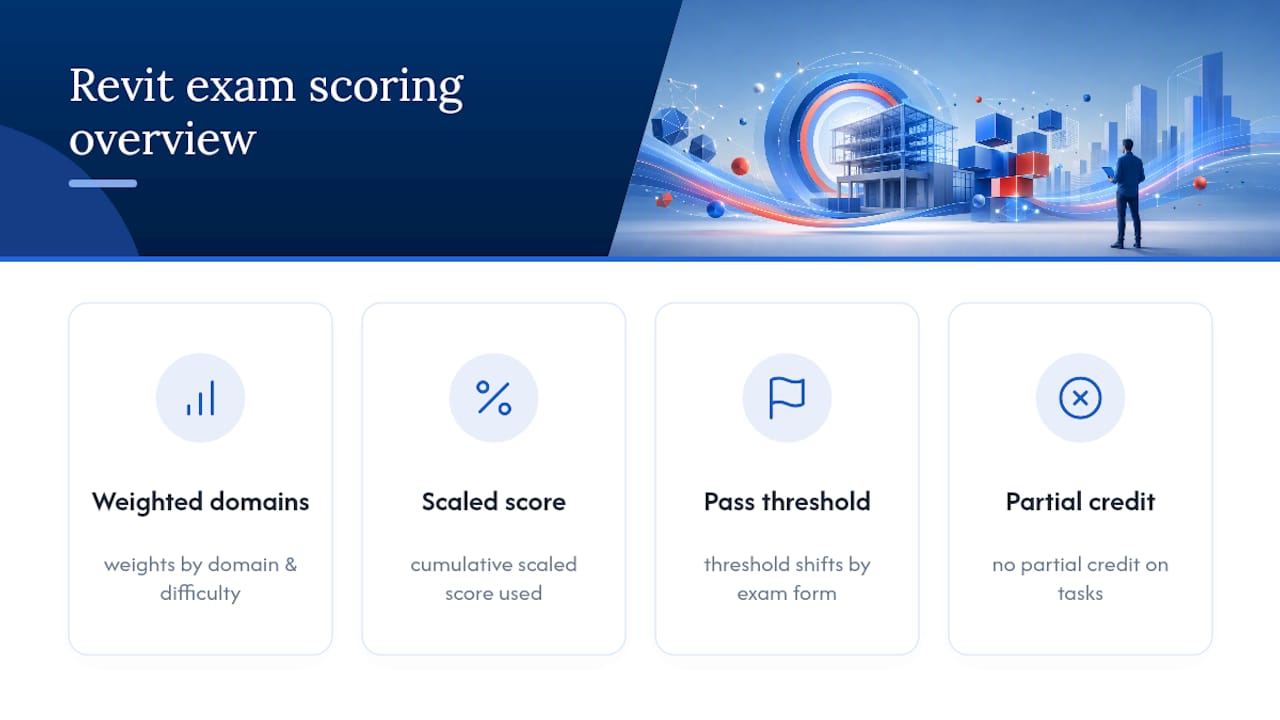
Two consequences follow directly from that structure. First, there is no meaningful way to game the test by skipping a domain you find weak. Since the domains carry different question counts and weights, a poor showing in modeling or documentation, the two heaviest sections, does more damage to your final score than a missed question in a lighter domain like information analysis. Second, partial credit generally doesn’t exist on active-screen or hot-area questions. You either complete the modeling task correctly inside the simulated interface or you don’t, so half-finished attempts score the same as skipped ones.
You’ll see your pass or fail result on screen immediately after finishing, with a detailed score report available in your Autodesk Certification account. That report typically breaks performance down by domain, which is exactly the diagnostic tool to feed back into targeted practice if you need a retake. Treat a near-miss score less as bad news and more as a map showing precisely which domain to rebuild before scheduling again.
How Do You Prepare for Exam Day and Manage Your Time?
Exam-day performance often comes down to pacing discipline built during practice, not last-minute cramming. With roughly 50 questions in 50 minutes, you have about a minute per question on average, but the questions are not evenly difficult. Active-screen modeling tasks eat far more time than a quick multiple-choice item, so budget accordingly rather than pacing every question identically.
A workable rhythm: spend no more than 90 seconds on any single question during your first pass. If you’re stuck, flag it and move on rather than letting one hard modeling task burn ten minutes you need elsewhere. Revit’s active-screen questions reward a clear plan before you touch a tool. Read the full prompt twice, identify exactly what output is being checked (a specific wall type, a schedule field, a family parameter), and only then start building.

The night before matters more than people assume. Confirm your proctoring setup one final time, whether that’s your OnVUE room and internet connection or your test center address and ID. Get a full night’s sleep rather than a last review session; working memory under time pressure benefits more from rest than from cramming a sixth domain review.
On the day itself, arrive or log in early, eat something before you start (a 50-minute cognitive sprint runs on real fuel, not adrenaline), and do a quick mental run-through of your weakest domain in the waiting minutes rather than skimming everything at once. If a question format catches you off guard, like a drag-and-drop matching item you haven’t drilled, don’t let the surprise cost you composure on the next nine questions.
What Question Types and Pitfalls Trip Up Most Candidates?
The most common failure point isn’t lack of Revit knowledge. It’s misreading exactly what a question is asking inside an unfamiliar format. Graphic interpretation questions, where you read a plan, section, or elevation and answer based on what’s shown, trip up candidates who skim the image instead of checking scale, north arrows, and view-specific overrides before answering.
Active-screen tasks cause a different problem. Candidates who are fluent in Revit day to day sometimes freeze when the simulated interface doesn’t behave exactly like their production template, with different loaded families or a workset structure they haven’t seen. Practicing inside varied, unfamiliar project files, not just your own firm’s standard template, closes this gap faster than any amount of reading.
Hot-area and drag-and-drop questions get missed for a subtler reason: candidates assume there’s only one correct target when the question allows more than one valid answer, or they rush the drag action and select an adjacent element by mistake. Slow down specifically on these formats.
A few content areas cause disproportionate trouble across candidates: worksharing permissions and workset ownership rules, schedule filtering logic (especially calculated values and conditional formatting), and phasing settings that affect what’s visible in a given view. None of these are exotic Revit features. They’re everyday tools used in ways that don’t map cleanly to how most people work day to day, which is exactly why targeted worksharing practice pays off far more than general review.
What Does the Conventional Certification Advice Get Wrong?
Most exam-prep advice treats Revit certification like a trivia test: memorize the ribbon, know the shortcuts, review a list of features. That approach fails candidates who can technically operate Revit but have never been forced to apply every domain, modeling, documentation, collaboration, families, and analysis, inside one connected project under a clock.
The exam rewards people who have built things, not people who have watched things get built. A candidate who has spent six months producing construction documents at a firm but never touched worksharing settings will struggle just as much as a career-changer who knows every keyboard shortcut but has never coordinated a linked model. Real-world Revit hours matter because they force exposure to the messy parts of the workflow: fixing a broken schedule, resolving a worksharing conflict, correcting a family that behaves badly at certain parameters. Those are exactly the scenarios active-screen questions simulate.
What the reader should prioritize first isn’t more reading. It’s building. Take the official objectives, and for every domain you haven’t touched hands-on in the last month, build something small that forces you to use it. That single habit, mapped consistently against the real exam structure rather than a generic study checklist, closes more gaps than another pass through a features list ever will.
Get Hands-On Revit Practice Before Exam Day
Reading about Revit’s collaboration tools or family parameters only gets you partway there. The gap most candidates hit is time spent inside real, varied project files, not another video explaining what a workset is. S15Studio closes that gap with project-based lessons built by Steve Fagan, an Autodesk Certified Trainer, mapped to the same domains the ACP exam tests: modeling, documentation, worksharing, and families.
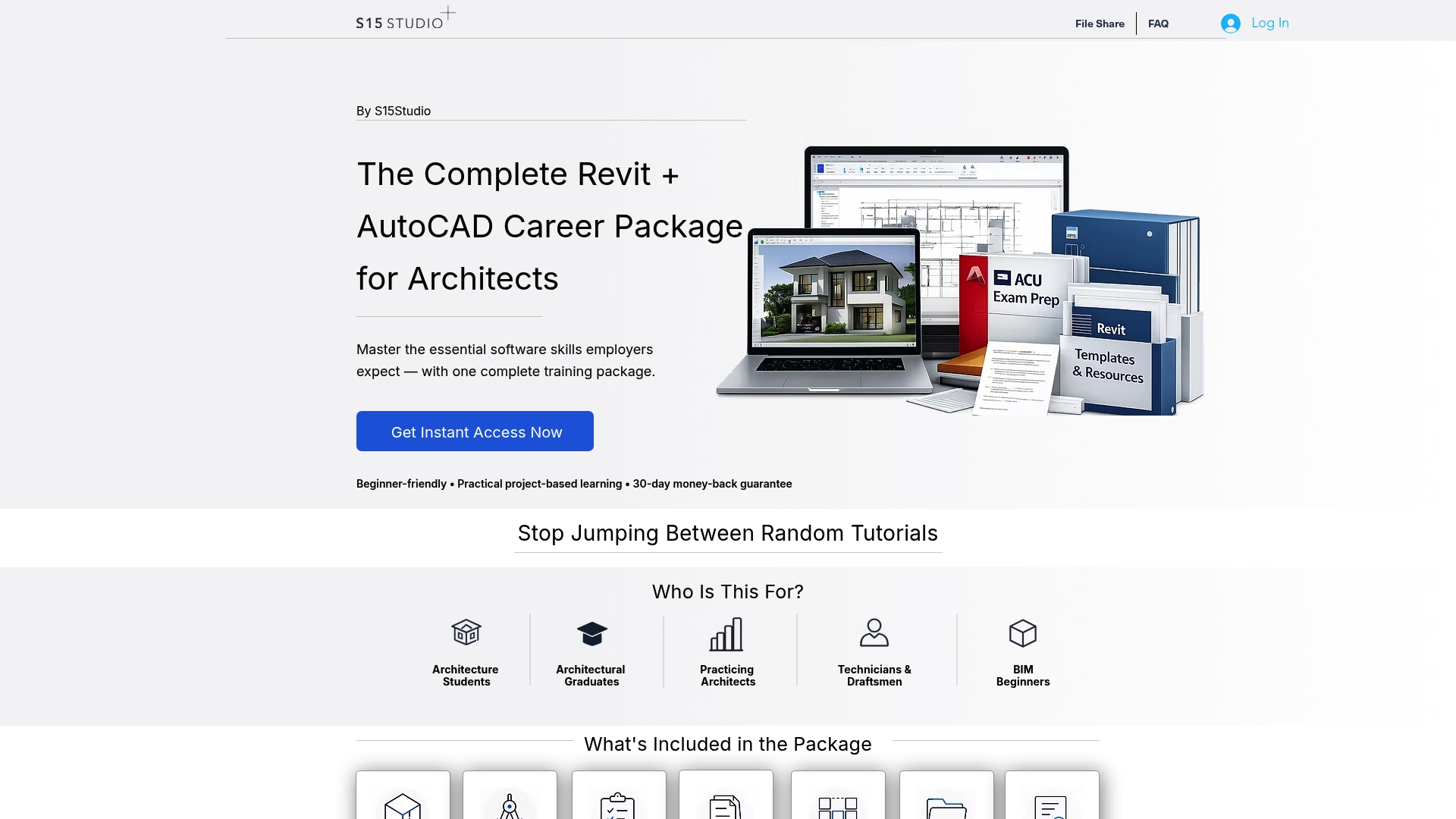
Each course comes with lifetime access to materials and direct trainer support, so you can revisit a tricky worksharing exercise or a schedule-building task as many times as it takes before you schedule your Pearson VUE or OnVUE session. If your study plan flagged collaboration as a weak spot, the Worksharing course targets that domain specifically rather than making you sift through a generic Revit tutorial for the relevant parts. Start with the Complete Revit and AutoCAD Training path and build your exam readiness around real projects instead of passive review.
Frequently Asked Questions
What is the Autodesk Certified Professional Revit exam, exactly? It’s Autodesk’s professional-level credential testing real-world Revit fluency across modeling, documentation, collaboration, project standards, families, and information analysis, valid for three years once earned.
How many hours of Revit experience do I need before attempting the exam? Autodesk recommends roughly 400 to 1,200 hours of real-world experience, though the right number for you depends on how directly your daily work touches every tested domain.
Is Revit ACE certification the same as Revit ACP certification? No. Autodesk Certified Professional (ACP) is the credential this exam covers; Autodesk Certified Expert (ACE) refers to a separate certification path with its own requirements, so confirm which credential your employer or job posting actually requires.
Can I take the Revit certification exam online? Yes, through Pearson OnVUE remote proctoring, provided your system passes the required checks and your testing space meets the room and identification rules Pearson VUE sets.
How long should I study before scheduling the exam? Experienced daily Revit users typically need 4 to 8 weeks of focused prep; those still building core skills should plan closer to 3 to 6 months, with weekly timed practice tests in the final stretch either way.
Sources
Recommended
Comments