
AutoCAD 2D Versus 3D Drafting: A 2026 Decision Guide


AutoCAD 2D drafting produces flat, planar drawings defined by length and width, while 3D drafting creates volumetric models with height, width, and depth that represent real-world geometry. Choosing between them is one of the most consequential workflow decisions a design professional or student makes. The wrong choice adds hours of rework, miscommunication between teams, and documentation errors that compound across a project. AutoCAD supports both methods natively, but each demands a different toolset, skill level, and hardware investment. Understanding the core differences in AutoCAD 2D versus 3D drafting is the first step toward making that choice confidently.
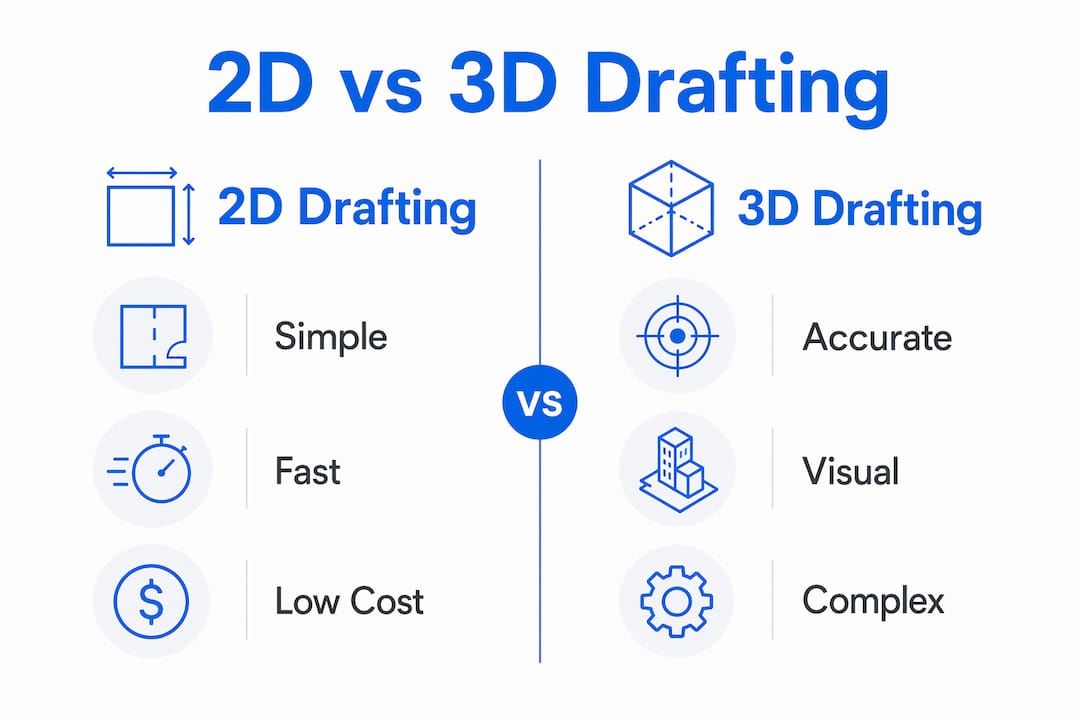
What are the advantages and limitations of 2D drafting in AutoCAD?
2D drafting in AutoCAD remains the fastest path from concept to deliverable for straightforward documentation tasks. Floor plan layouts, site plans, schematic diagrams, and detail sheets all reach production faster in 2D than in a fully modeled environment. The learning curve is shorter, hardware requirements are lower, and the DWG format ensures compatibility with decades of legacy project data.
The speed advantage is real, but it comes with a structural weakness. Every view in a 2D drawing is independent. Change a wall thickness in a floor plan and you must manually update the section, the elevation, and every detail that references it. Manual 2D updates increase coordination error risk in ways that compound as a project grows. A single missed update can send fabricators or contractors working from outdated geometry.
Key advantages of 2D drafting:
Faster turnaround for simple documentation and layout work
Lower hardware requirements compared to 3D modeling environments
Full compatibility with legacy DWG files and established workflows
Shorter learning curve for new drafters entering the profession
Widely accepted format for permit submissions and contractor documentation
Key limitations of 2D drafting:
No automatic view coordination. Updates require manual propagation across all sheets.
Limited spatial visualization. Flat views can obscure assembly conflicts that only appear in three dimensions.
Higher risk of design miscommunication between teams interpreting separate plan, section, and elevation views
Pro Tip: When working in 2D, use AutoCAD’s layer standards and xref (external reference) system to link related drawings. This reduces the manual update burden and keeps your documentation more consistent across sheets.
The technical drawing standards checklist for architects from S15studio covers lineweight hierarchies and annotation conventions that directly reduce the misinterpretation risk inherent in 2D documentation.
How does 3D drafting in AutoCAD enhance design accuracy and reduce rework?
3D drafting solves the core coordination problem of 2D by treating the model as a single source of truth. A change in a 3D model updates all associated 2D views automatically, eliminating the manual propagation that causes errors in flat drawing workflows. That automatic coordination is the defining advantage of 3D over 2D for complex projects.

Clash detection is the second major benefit. When mechanical, structural, and architectural elements exist as three-dimensional geometry, conflicts between them become visible before construction begins. Catching a duct that intersects a beam in the model costs minutes to fix. Catching it on site costs days and significant money.
Core benefits of 3D drafting in AutoCAD:
Parametrically linked models push updates to all derived 2D views simultaneously
Automated clash detection identifies assembly conflicts before fabrication or construction
Realistic visualization supports client presentations and design review without separate rendering software
Simulation capabilities, including sun studies and structural analysis, integrate directly with the model geometry
The trade-offs are real. 3D CAD requires high-speed processors and specialized graphics cards, which raises the upfront hardware cost significantly compared to a 2D drafting workstation. That hardware investment is offset over the project lifecycle by reduced physical prototyping and rework costs, but the initial barrier is higher. Skill requirements are also steeper. A drafter comfortable with AutoCAD’s 2D command set needs additional training in solid modeling, surface modeling, and view generation before contributing effectively in a 3D environment.
For professionals ready to build those skills, the AutoCAD 3D solid modeling workflow guide from S15studio provides a structured path through the core 3D tools and their practical applications.
What is the best approach for integrating 2D and 3D drafting workflows?
The most effective AutoCAD workflow is not a binary choice between 2D and 3D. Experts recommend maintaining 2D drafting for early-stage conceptualization and manufacturing deliverables while adopting 3D modeling for complex mechanical design. This hybrid approach respects the speed of 2D and the accuracy of 3D without forcing either method into situations where it underperforms.
A practical hybrid workflow follows a clear progression:
Start in 2D for conceptual layouts. Schematic plans, early-stage coordination diagrams, and client-facing layout options are faster to produce and easier to revise in 2D. Use this phase to establish spatial relationships before committing to modeled geometry.
Transition to 3D for complex assemblies. Once design intent is confirmed, build the detailed geometry in 3D. Mechanical parts, structural connections, and building envelope details benefit most from three-dimensional modeling.
Generate 2D drawings from the 3D model. 2D drawings generated directly from 3D geometry are associative, meaning they update when the model changes. This eliminates the manual coordination problem entirely for the documentation phase.
Keep legacy 2D data in its native format. Forcing existing 2D project files into 3D adds cost without proportional benefit. Avoid forced conversion of all projects to 3D. Adopt 3D selectively where associative benefits and simulations add clear value.
Pro Tip: Before committing to a full 3D workflow on a new project, ask one question: will this project benefit from automated view coordination or clash detection? If the answer is no, 2D is the faster and more cost-effective choice.
A 2D and 3D hybrid approach is especially effective for small and mid-sized teams because it distributes the skill and hardware investment across only the project phases that justify it. Smaller practices do not need to retrain every drafter in 3D modeling to capture the benefits of 3D documentation on their most complex projects.
What are essential best practices for CAD drawing organization in AutoCAD?
CAD drawing organization determines whether a project file is an asset or a liability. Poor file management creates broken references, version conflicts, and annotation errors that cost more time to fix than the original drafting took to produce. The following practices apply to both 2D and 3D AutoCAD workflows.
Model space and paper space separation is a professional drafting standard, not a preference. All geometry must exist at 1:1 scale in model space to support xref coordination and scalable reuse. Drawing geometry directly in paper space breaks external reference workflows and limits the ability to reuse geometry across sheets or projects.
Stable file naming protects reference integrity. Embedding dates or revision codes in filenames risks broken links and inefficient version management. Use a stable base name and let a version control system or cloud PDM environment track revisions. The filename should identify the file. The version control system should identify its history.
Annotation scaling is a common source of drawing errors. Using only standard AutoCAD preset scales ensures automatic, consistent text and symbol resizing. Custom viewport scales force manual annotation overrides that break when viewports are adjusted. Snap every viewport to a standard scale from the AutoCAD preset list and annotation scaling handles itself.
Visual hierarchy through lineweights reduces misinterpretation. Silhouette lines are bolder than internal detail lines, which reduces line fatigue and helps readers parse complex drawings faster. Consistent lineweight standards applied through layer properties, not object overrides, make this maintainable across an entire project.
Having a single authoritative copy of CAD files with mandatory revision documentation prevents rework caused by teams working from superseded data. Centralized file management is the single most effective organizational practice for reducing project delays caused by documentation errors.
Key Takeaways
Choosing between 2D and 3D drafting in AutoCAD depends on project complexity, team size, and whether automated view coordination and clash detection justify the higher skill and hardware investment.
Point | Details |
2D drafting suits simple documentation | Use 2D for layouts, schematics, and early-stage concepts where speed matters most. |
3D drafting reduces rework on complex projects | Automated view updates and clash detection prevent costly errors in detailed assemblies. |
Hybrid workflows maximize efficiency | Start in 2D for concepts, transition to 3D for complex geometry, then generate associative 2D drawings from the model. |
File naming must stay stable | Never embed revision codes in filenames. Use version control systems to track changes without breaking references. |
Model space discipline is non-negotiable | All geometry at 1:1 scale in model space ensures xref coordination and scalable reuse across sheets. |
Why I think most drafters choose the wrong workflow for the wrong reasons
The most common mistake I see is professionals defaulting to 3D because it feels more advanced, not because the project actually needs it. A single-story retail fitout with standard details does not need a fully modeled 3D environment. Forcing it into one adds training time, hardware cost, and complexity without delivering proportional accuracy gains. The project suffers, and the drafter blames the tool instead of the decision.
The opposite mistake is just as damaging. Drafters who refuse to build 3D skills because their current 2D workflow “works fine” are making a short-term calculation. The industry is moving toward integrated 2D/3D environments, and the professionals who understand both methods are the ones who get hired for complex, high-value projects. Maintaining 2D proficiency is not a retreat. It is a foundation. But it cannot be the ceiling.
The practical advice I give every student I work with at S15studio is this: master 2D drafting first. Understand layers, xrefs, annotation scaling, and paper space. Then learn 3D as a layer on top of that foundation. The common AutoCAD drafting mistakes that derail 3D workflows almost always trace back to weak 2D fundamentals. Revision control is the other area where I see experienced drafters fail. A drafter with 10 years of experience who still embeds revision codes in filenames is creating the same broken-reference problems as a first-year student. The “one authoritative copy” rule is not a best practice. It is the minimum standard for professional work.
The increasing shift toward integrated 2D/3D environments in architecture and manufacturing means the question is no longer which method to use. It is how to use both well.
— Steve
S15studio AutoCAD training for 2D and 3D drafting mastery
Design professionals and students who want to build real-world AutoCAD skills across both 2D documentation and 3D modeling need structured, project-based instruction, not disconnected tutorials.

S15studio’s AutoCAD expert course covers the full drafting workflow from 2D fundamentals through advanced 3D solid modeling, with practical exercises built around real project scenarios. Founded by Autodesk Certified Trainer Steve Fagan, S15studio delivers training that prepares professionals for certification and career advancement. For those who want to understand AutoCAD for architecture specifically, S15studio’s resources address the exact skills architecture students and technicians need to perform at a professional level.
FAQ
What is the main difference between 2D and 3D drafting in AutoCAD?
2D drafting produces flat drawings with length and width only, while 3D drafting creates volumetric models with height, width, and depth. 3D models automatically update all derived 2D views when geometry changes, which 2D drawings cannot do.
When should I use 2D drafting instead of 3D in AutoCAD?
Use 2D drafting for early-stage layouts, simple documentation, permit submissions, and projects with legacy DWG data. 2D is faster and requires less hardware when automated clash detection and view coordination are not needed.
Can AutoCAD generate 2D drawings from a 3D model?
Yes. AutoCAD generates fully associative 2D drawings directly from 3D geometry. Those drawings update automatically when the model changes, eliminating the manual coordination errors common in standalone 2D workflows.
What are the most important CAD drawing organization best practices?
Separate model space and paper space, use stable filenames without embedded revision codes, and maintain one authoritative copy of every file in a centralized version control system. These three practices prevent the majority of documentation errors in AutoCAD projects.
Is 3D drafting harder to learn than 2D in AutoCAD?
3D drafting requires a stronger foundation in spatial reasoning and a broader AutoCAD command set than 2D drafting. Most professionals benefit from mastering 2D fundamentals first before building 3D modeling skills on top of that base.
Recommended
Comments