
Best RDstudio.co Alternatives for Revit Families in 2026
- Steve Fagan
- 11 hours ago
- 6 min read

What are the top alternatives to RDstudio.co for Revit families and Dynamo scripts?
The strongest rdstudio.co alternatives available to AEC professionals in 2026 are BIMobject, Modlar, NBS National BIM Library, BIM&Co, and Arcat. Each covers a different slice of the market, from manufacturer-verified content to free generic families, and a few extend into Dynamo scripts territory. RD Studio itself remains a serious contender for brand-neutral, parametric content, so it belongs in any honest comparison.
Here is a quick orientation across the field:
BIMobject — global platform, manufacturer-verified families, plugin access for Revit
Modlar — curated open BIM library, strong on architectural elements, free downloads
NBS National BIM Library — specification-grade families aligned with international standards
BIM&Co — cloud-connected, data-rich objects with a focus on interoperability
Arcat — free manufacturer content bundled with CAD drawings and specifications
RD Studio — brand-neutral, lightweight, native Revit geometry; both metric and imperial in one pack; growing Dynamo scripts library
Curated lists identify at least 29 reputable platforms spanning free and paid options. The platforms above represent the most consistently cited across professional forums and AEC publications heading into 2026.
How to choose the right source for Revit families and Dynamo scripts
Picking a platform is not just about what is free. The wrong family can slow your model to a crawl or break when a colleague opens it on a different unit system.

Content type: brand-neutral vs. manufacturer-specific
Design phase drives this choice. Brand-neutral families give you flexibility during schematic and design development, when the spec is still open. Manufacturer-specific content earns its place later, at procurement and costing, when you need exact product dimensions and data.
Key selection criteria
Unit systems: Many libraries default to one system only. Verifying dual metric and imperial support before downloading saves painful manual conversions and prevents parameter breaks on international projects.
File weight: Lightweight native Revit geometry loads fast and coordinates cleanly. Heavy CAD-derived imports do not.
Parameter control: Check that the family exposes the parameters you actually need, not just the ones the manufacturer wanted to show.
Pricing and licensing: BIMobject, Modlar, and Arcat offer free access. RD Studio and NBS National BIM Library operate on paid or tiered models. BIM&Co sits in between with a freemium structure.
Platform access: BIMobject and BIM&Co offer Revit plugins for in-app browsing. Most others are web-based downloads. Dynamo scripts are available through RD Studio’s library and via community repositories like the Dynamo Package Manager.
Community and support: Active user forums and responsive vendor support reduce troubleshooting time when a family behaves unexpectedly.
Pro Tip: Before loading any new family into a live project, open it in a blank Revit file and run a quick performance check. Watch the file size in the Properties panel and flex every parameter to its maximum and minimum. A family that crashes or bloats at extremes will cause the same problem inside your project model.
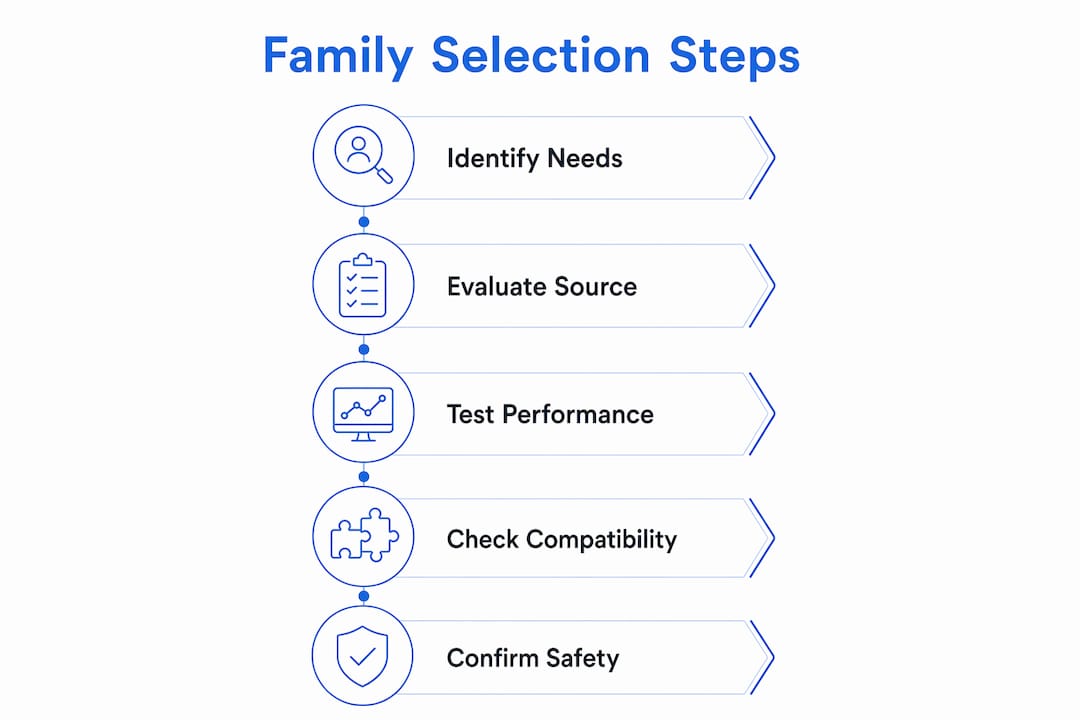
Why you should care about safety when downloading Revit families
Not every file on the internet is what it claims to be. Unverified public repositories carry real risks: corrupted geometry, embedded malware, and families that silently degrade your model’s performance over weeks of work.
Established platforms like BIMobject and NBS National BIM Library reduce that risk through formal vendor relationships and file validation. Manufacturers submit content through structured onboarding processes, and the platforms maintain version control. That is a different proposition from a random file shared on a forum.
Due diligence steps worth building into your workflow:
Check the platform’s vendor verification policy before downloading anything
Read user reviews or community threads specific to the family category you need
Inspect the family in Revit’s Family Editor before placing it in a project
Check where your Revit family library is stored and keep downloaded content in a quarantine folder until it passes your review
The practical takeaway: free does not mean safe, and paid does not automatically mean clean. Platform reputation and process matter more than price.
What makes a Revit family genuinely high quality?
Quality in a Revit family is not subjective. There are concrete, testable attributes that separate a file worth using from one that will cost you hours of cleanup.
Geometry: native Revit vs. CAD imports
Manufacturer families often originate from CAD exports out of tools like SolidWorks or Inventor. The result is a heavy, un-editable mesh that looks fine in a rendering but degrades coordination performance. Native Revit geometry, built parametrically from the ground up, stays lightweight and fully editable. RD Studio’s stated standard is 100% native Revit geometry, which is a meaningful differentiator when you are managing a complex BIM model.
Parameters and flexibility
Full parameter exposure with tested minimum and maximum values
Adjustable dimensions, materials, types, and visibility controls
No locked or hidden parameters that prevent customization
Unit systems
Lack of dual unit support leads to tedious conversions and risks breaking advanced parameters on international projects. A family that ships with both metric and imperial versions in one package removes that friction entirely.
Dynamo scripts as a quality extension
Static families handle geometry. Dynamo scripts handle automation: renumbering elements, organizing sheet sets, managing data across large models. Platforms that offer both give BIM teams a more complete toolkit. RD Studio maintains a Dynamo scripts library alongside its family catalog, with most scripts available free as a community contribution.
Pro Tip: When evaluating a new family source, download one mid-complexity family from their catalog and stress-test it: flex every parameter, change the material, and check the file size before and after. That single test tells you more about the library’s quality standard than any marketing description.
Expert perspective: Steve Fagan on choosing RD Studio alternatives wisely
Steve Fagan is an Autodesk Certified Trainer and the founder of S15studio, an online learning platform built specifically for architects, architectural technicians, and design professionals working with Revit and AutoCAD. His training programs cover everything from Revit fundamentals for beginners to advanced BIM workflows, with a consistent focus on practical, project-based skills.
From a training perspective, the most common mistake Fagan sees is professionals downloading families from the first result they find, without checking geometry type, parameter structure, or file weight. The platforms that consistently pass professional scrutiny share a few traits: transparent vendor relationships, documented quality control processes, and active user communities that surface problems quickly.
His recommendations by use case:
For manufacturer-verified content at scale: BIMobject, with its plugin integration and formal vendor onboarding
For specification-grade projects: NBS National BIM Library, particularly on projects with international compliance requirements
For free, broad-coverage content: Arcat for manufacturer documentation, Modlar for architectural elements
For brand-neutral, parametric families with dual unit support: RD Studio, which stress-tests every parameter before release and ships both metric and imperial versions together
For data-rich, interoperable objects: BIM&Co, especially on integrated project delivery workflows
One dimension that often gets overlooked is Revit file size management. Fagan emphasizes that family quality and model health are inseparable. A library sourced from clean, lightweight families keeps coordination models manageable as projects scale.
S15studio’s training courses address exactly this gap: understanding not just how to use Revit, but how to evaluate the content going into it. That judgment is what separates a proficient Revit user from one who spends project time fixing other people’s families.
Key Takeaways
BIMobject, Modlar, NBS National BIM Library, BIM&Co, Arcat, and RD Studio each serve a distinct use case, and choosing between them comes down to content type, unit support, file quality, and whether you need Dynamo scripts alongside static families.
Point | Details |
Match library to project phase | Use brand-neutral families in early design; switch to manufacturer-specific content at procurement. |
Verify unit system support | Confirm dual metric and imperial availability before downloading to avoid parameter breaks. |
Native geometry beats CAD exports | Families built natively in Revit stay lightweight and editable; CAD-derived meshes degrade model performance. |
Dynamo scripts extend your toolkit | Platforms offering scripts alongside families automate tasks like renumbering and sheet management. |
S15studio builds the skills to evaluate all of it | Steve Fagan’s training courses teach AEC professionals how to assess family quality and manage BIM content effectively. |
S15studio trains you to get more from every Revit library
Knowing which platform to use is one thing. Knowing how to evaluate, load, and manage families so they never slow your model down is a different skill entirely, and that is where most professionals have a gap.
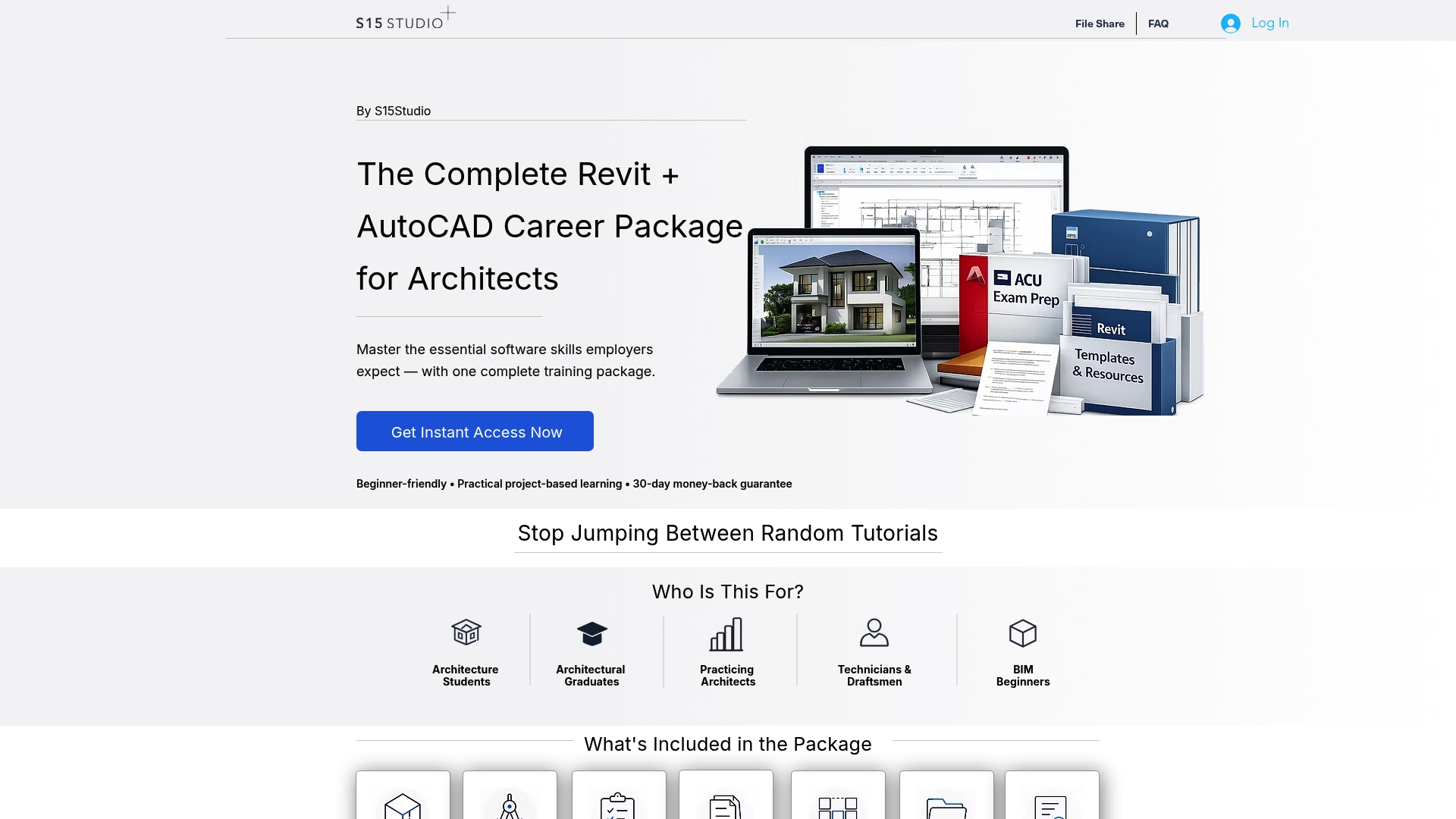
S15studio, founded by Autodesk Certified Trainer Steve Fagan, offers structured Revit training that goes well beyond the basics. The Complete Revit and AutoCAD Training program covers family creation, BIM workflows, and the judgment calls that separate clean models from problem-laden ones. If you are newer to the software, the beginner to intermediate course builds the foundation you need to work confidently with any of the libraries covered here. Unlike downloading a family and hoping for the best, S15studio gives you the technical grounding to know exactly what you are looking at.
Recommended