
YouTube vs Revit Course: Which One Gets You Hired?
- Steve Fagan

- 3 hours ago
- 9 min read

If you want to model a deck extension or figure out how a wall type works, YouTube will get you there this weekend. If you need Revit skills that survive a job interview, a client deadline, or a certification exam, a structured paid course gets you there faster and with far less wasted effort. That’s the whole decision, boiled down.
The split comes down to what happens after you learn the skill. Free tutorials teach isolated moves. Structured training builds the habits, project logic, and BIM discipline that firms actually pay for.
Time to competence: YouTube alone often takes months longer for professional-level fluency, since self-teaching lacks structured guidance and personalized feedback. A focused paid course can get a motivated beginner to a portfolio-ready model relatively quickly.
Deliverable: Free videos leave you with scattered skills. A paid course, including programs built by Autodesk-certified instructors like those at S15studio, ends with a finished project you can show a hiring manager.
TL;DR:
YouTube tutorials are effective for troubleshooting quick issues but lack the structured progression needed for professional Revit workflows and standards.
A paid course accelerates learning through project sequencing, instructor feedback, and certification exam preparation, reducing time to job-ready competence.
Self-directed learning often takes longer and risks ingraining bad habits without expert correction, especially in worksharing and documentation practices.
Combining YouTube for initial orientation with a structured, project-based course maximizes flexibility while ensuring mastery of core skills.
Choosing a course from an Autodesk Certified Trainer ensures comprehensive coverage, instructor support, and access to portfolio-ready projects aligned with industry standards.
Table of Contents
YouTube vs Revit Course: Comparing the Two Learning Paths
YouTube wins on price and flexibility. Paid courses win on structure, feedback, and depth. Neither wins outright, and pretending otherwise is how people waste six months.
Free tutorials are ad hoc by design. You search “Revit stair tool not working” and get a five-minute fix, not a curriculum. That’s fine for troubleshooting. It’s a poor way to learn worksharing, shared coordinates, or how to build a family that won’t break when someone else opens your file. YouTube tends to excel at discrete troubleshooting and niche techniques but rarely explains the “why” behind BIM management practices that keep a model usable across a project team.
Structured courses build in the opposite direction: foundations first, then families, then collaboration workflows, then documentation standards. Noble Desktop’s research on self-directed learning notes that most learners benefit more from live or structured training because it shortens time-to-competence and gives you someone to ask when you’re stuck, rather than guessing from a comment section (“Can I Learn Revit On My Own?”).
Reliability matters too. Individual creators post at their own pace and sometimes vanish for a year. Autodesk’s own learning hub and Help documentation stay current with each release, which makes it the reference point when a YouTube tutorial and your software version disagree.
Quick breakdown:
Structure: YouTube is search-driven; paid courses follow a sequence.
Feedback: YouTube gives none; paid courses often include graded work or instructor review.
Depth: YouTube covers features; paid courses cover workflows and standards.
Currency: Official Autodesk resources update with releases; independent videos can lag behind.
The gap isn’t really about talent or effort. It’s about whether someone corrects your mistakes before they become habits.
When Does It Make Sense to Learn Revit From YouTube?
YouTube is the right call when the goal is narrow, personal, or exploratory. If you’re modeling your own kitchen renovation, testing whether you even like BIM work before committing money, or need to learn one tool (say, the railing family editor) for a single task, free video content solves the problem without overkill.
Here’s how to make free learning actually stick instead of turning into an afternoon of tab-hopping:
Pick one creator and stay with them. Curated roundups of Revit YouTube channels consistently recommend following a single playlist start to finish rather than jumping between five different teaching styles.
Check the upload date and the creator’s background. A tutorial from three Revit versions ago may reference menus that no longer exist.
Rebuild the project, don’t just watch it. Passive viewing teaches almost nothing; typing the same clicks yourself is what moves it into memory.
Keep a running cheat sheet of keyboard shortcuts and workflow steps so you’re not re-searching the same fix twice.
Full beginner series exist too. Class Central indexes several complete Revit courses hosted as free YouTube playlists, which can genuinely accelerate the first few weeks if the playlist is well organized.
Pro Tip: Treat every free tutorial as a single lesson, not a curriculum. If you can’t name what skill it taught you in one sentence, you watched it too passively.
The limitations are real, though. Nobody checks your work. Best practices vary wildly between creators, and there’s no one to tell you that the family you just built will cause problems the moment a colleague opens your model.

When Is a Paid Revit Course Worth the Investment?
Architecture students, career changers, and practicing architects who need reliable, repeatable workflows are the people a paid course pays off for fastest. If your goal has a deadline attached, whether that’s a portfolio due for job applications or a certification exam, structured training removes the guesswork that eats weeks of self-study time.
What separates a paid course from a stack of videos is the deliverable chain. A well-built program moves you through progressive projects, not isolated tricks: a residential model, then a commercial floor plan, then a documentation set, each one building on skills from the last. That sequencing is exactly what Noble Desktop points to as the advantage of instructor-led formats over unstructured self-teaching.
You get things YouTube simply cannot offer:
Feedback on actual work, not just demonstrations of correct technique.
Certification preparation, aimed specifically at exams like the Autodesk Certified User credential.
Portfolio pieces built to the standard employers expect to see, not personal practice files.
A defined endpoint, so you know when you’re actually done rather than endlessly circling more tutorials.
Time compression is the biggest hidden value. A focused, project-based course can take someone from beginner to job-ready competence in a matter of weeks because the path is already mapped. Self-study covering the same ground usually takes considerably longer, partly because you spend real time just figuring out what to learn next.
If your goal is a title change, a portfolio for job applications, or passing a certification exam, that outcome is what you’re actually buying. The course is the shortcut to a specific, provable result.

How to Combine YouTube and a Paid Course
The smartest path uses both, in a deliberate order rather than randomly mixing the two.
Weeks 1 to 2: Orientation via YouTube. Pick one curated playlist and learn the interface, basic navigation, and core tools. This is exploration, not mastery, so keep expectations low.
Weeks 3 to 10: Structured course for consolidation. Enroll in a project-based paid course once you know Revit’s basic layout. This is where worksharing, families, and documentation standards get taught properly, with milestones instead of guesswork.
Throughout: Use YouTube for niche gaps. When your course hits a specific technique you want more angles on, say a Dynamo script or a rendering setting, a targeted search fills that gap without derailing the main curriculum. Illustrarch’s own 30-day Revit learning roadmap makes the same case: pick one main source, then supplement narrowly.
Final assessment: One finished portfolio project. Complete a single, polished deliverable and use instructor feedback to fix what you can’t see yourself. That feedback loop is the piece self-study cannot replicate.
Choosing between live and on-demand formats matters here too. On-demand courses give flexibility and replay access, while live formats give real-time correction when you’re stuck, which is worth factoring into your schedule if you tend to procrastinate on self-paced work.
Step | What to do |
Weeks 1-2 | Watch a single curated YouTube playlist to learn the interface |
Weeks 3-10 | Complete a structured, project-based paid course |
Ongoing | Use targeted searches for niche techniques only |
Final | Finish one portfolio project with instructor feedback |
What Does Learning Revit Actually Cost in Time and Money?
Free tutorials cost nothing upfront but often cost you the most time. Reaching genuine intermediate competence through YouTube alone frequently stretches well beyond what a structured course requires, largely because there’s no one flagging bad habits early.
Paid Revit courses typically fall into a few tiers: short single-topic modules, broader beginner-to-intermediate programs, and full master-class tracks that include certification prep. Price generally scales with scope, and courses that bundle project files, templates, and instructor access tend to sit higher than video-only options.
Beginner competence (interface, basic modeling): achievable in a few weeks either way, though a course usually compresses this.
Intermediate competence (families, worksharing, documentation): where free learning stalls longest without guidance.
Professional competence (certification-ready, portfolio-ready): rarely reached through YouTube alone, per Noble Desktop’s assessment of self-taught learners.
The real cost of the free route is opportunity cost. Every extra month spent self-teaching is a month not spent applying for jobs or taking on paid projects. If your budget is tight, prioritize spending it on the piece that gets you a credential or a finished portfolio project, not on covering ground YouTube already handles fine.
What to Look for in a Paid Revit Course
Not every paid course delivers what it promises. Use this checklist before you hand over your card details.
Curriculum breadth. Does it cover families, worksharing, templates, and construction documentation, or just modeling basics?
Project-based structure. Are you building real deliverables, or just following along with demonstrations?
Instructor credentials. Look for Autodesk Certified Trainer status and actual industry experience, not just a confident voice.
Feedback and assessment. Does the course grade your work or review it one-on-one, or is it purely self-paced video with no check-in?
Access and outcomes. Do you keep lifetime access to materials, and does the provider show evidence of what past students actually built?
Choosing the right Revit training course comes down to matching these five criteria against your specific goal, whether that’s a certification, a portfolio, or a firm-ready skill set.
Who’s Behind This Advice, and What S15studio Actually Offers
This guide comes from Steve Fagan, an Autodesk Certified Trainer and founder of S15studio, built specifically around the checklist above rather than around a generic video library.
Instructor credentials: Autodesk Certified Trainer status backing every course structure.
Certification prep: structured practice aimed at Autodesk Certified User exam readiness.
Sample lessons: free content on the S15studio YouTube channel lets you preview teaching style before enrolling.
Key Takeaways
The learning route that actually works is the one matched to your goal: YouTube for exploration and quick fixes, a structured course for anything with a career or certification attached.
Point | Details |
Match method to goal | Use YouTube for hobby projects and single-skill fixes; use a paid course for career or certification goals. |
Structure beats search | Paid courses sequence foundations before advanced workflows, while YouTube depends on what you happen to search. |
Blend, don’t choose exclusively | Start with a curated YouTube playlist for orientation, then consolidate with a project-based paid course. |
Feedback is the real gap | Only structured courses offer instructor review, which catches habits self-study misses entirely. |
S15studio matches the checklist | Courses from an Autodesk Certified Trainer cover worksharing, certification prep, and portfolio-ready projects. |
Career Goals or a Hobby? Here’s the Honest Answer
The conventional advice treats this as a values debate, free versus paid, DIY versus done-for-you, when it’s really a math problem about your goal and your calendar. If you’re not being paid to know Revit yet, the question isn’t which method is “better.” It’s which one gets you paid sooner.
What’s overrated in most advice on this topic is the idea that motivated self-learners can always substitute grit for structure. Some can. Most stall out precisely where YouTube goes quiet: worksharing, standards, the unglamorous documentation work that firms actually hire for. That’s not a knock on free content. It’s a description of what it was built to do.
Prioritize the outcome first, not the method. Decide what you need in six months, a portfolio, a certification, a job offer, and pick backward from there. Everything else is sequencing.
— Steve
Ready to Move Past Tutorials? Here’s Your Next Step
YouTube got you comfortable with the interface. That’s genuinely useful, and it’s exactly where S15studio’s own free sample lessons fit in if you want a preview before committing. But comfort with the interface isn’t the same as a portfolio, and it isn’t a certification either.
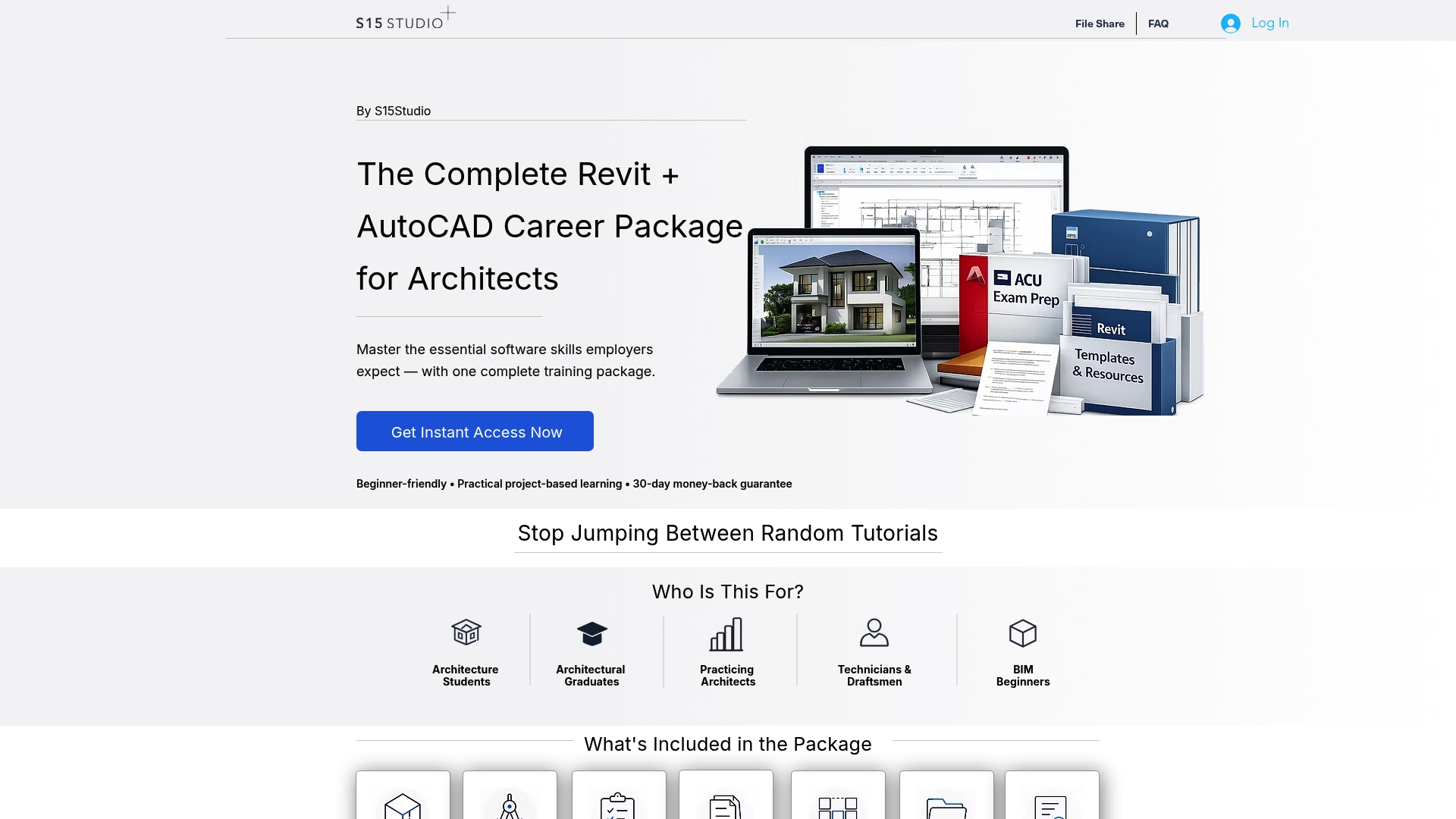
S15studio was built by an Autodesk Certified Trainer specifically to close that gap: project-based courses that move you from basic modeling through worksharing, documentation, and Autodesk Certified User exam prep, with lifetime access to every downloadable resource and template along the way. If you’re starting from scratch, the Revit introduction course gets you to a working foundation without wasted detours. If you already know the basics and want the collaboration workflows firms actually run on, the Worksharing course is built for exactly that. Check the current course pages and pick the one that matches where you are right now.
Sources
Recommended
Comments